Don’t Want to Wait? Turn Your Computer into a FallGuard Device Today.
While many families are still waiting for a physical FallGuard unit, you can start using FallGuard right now. Any Windows laptop or desktop, even an older one, can be converted into an AI-powered monitor that watches for dangerous falls and long laydowns in the room.
- Works with most Windows desktops and laptops
- Uses built-in or USB webcam, no extra hardware needed
- Instant alerts sent to your phone through the free FallGuard app

Set It Up in 3 Easy Steps
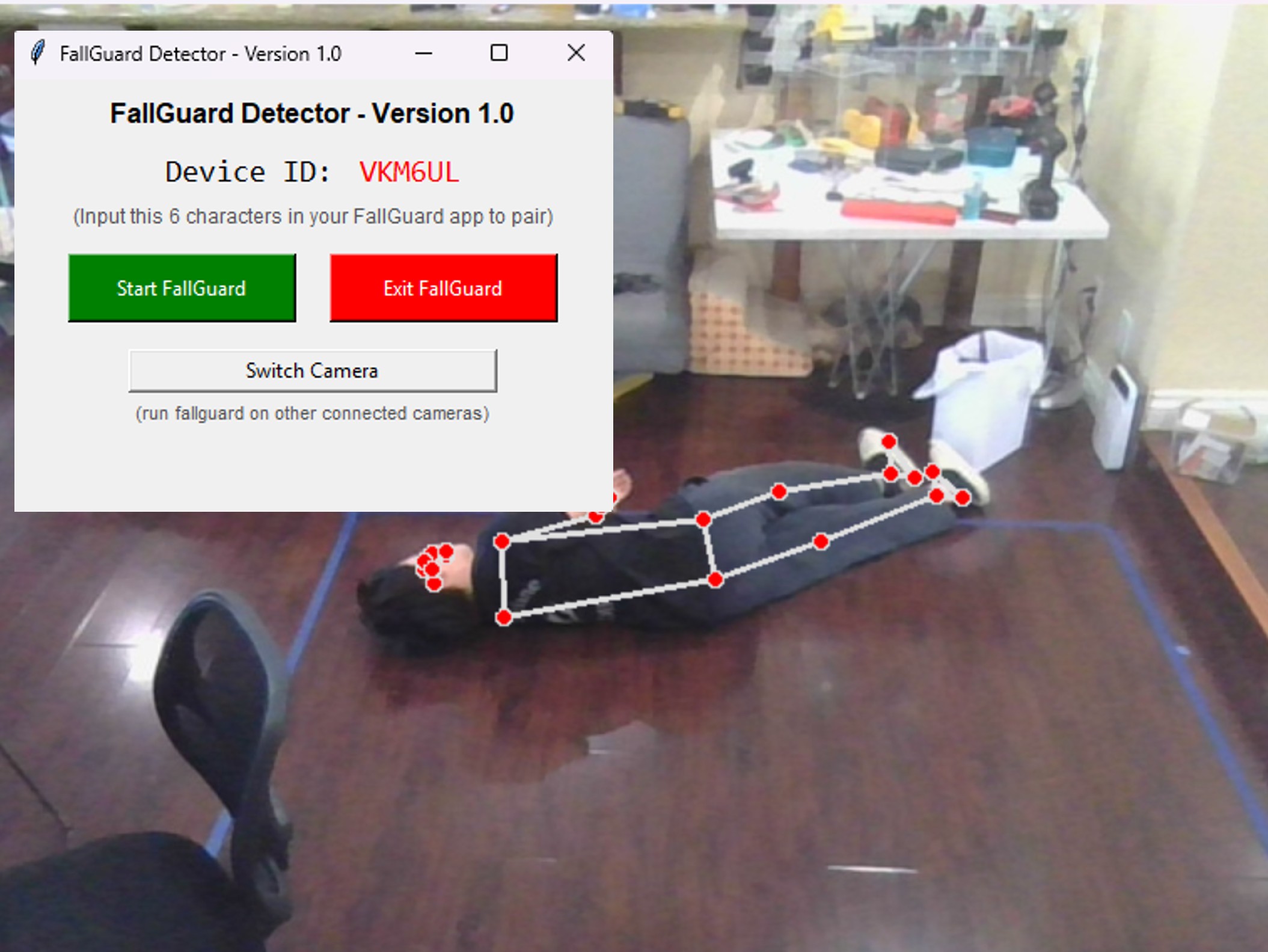
Step 1: Install App on Computer
Download and install the FallGuard Detector app on your computer. It analyzes the camera feed in real time and looks for possible falls or long laydowns using AI.
Download PC App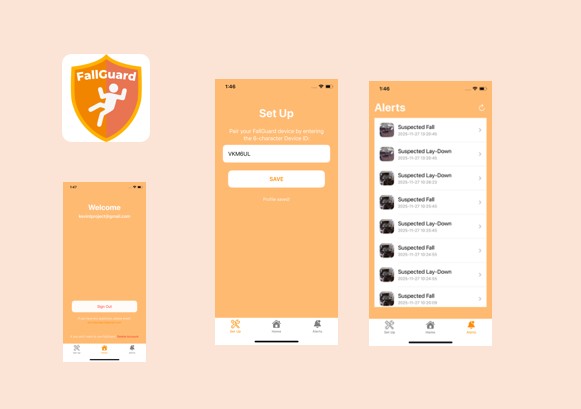
Step 2: Install Mobile App on Phone
Install the FallGuard mobile app on your phone to receive instant alerts when your computer detects a possible fall, even if you are in another room or outside the house.
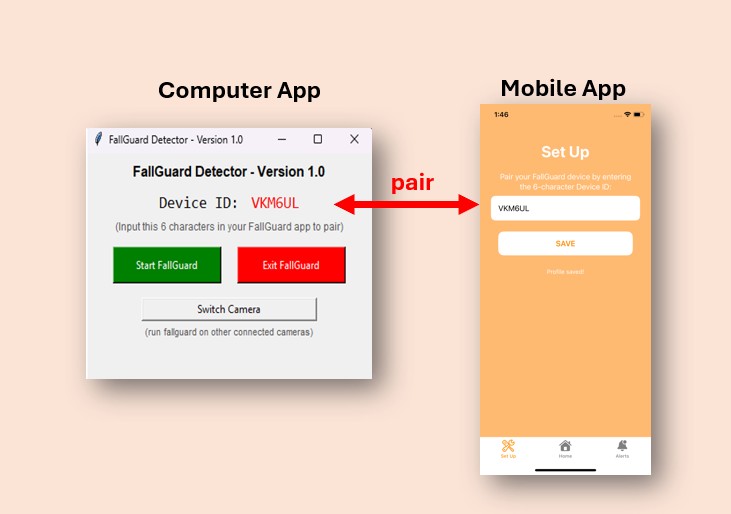
Step 3: Pair Phone with Computer
Open the FallGuard Detector on your computer and find the 6-character Device ID code. In the mobile app, enter this code to pair your phone with that computer so you can receive alerts.
Video Tutorial
How to convert your computer into a FallGuard device